 Broomate
Help with Broomate
Email support@broomi.app and we will answer.
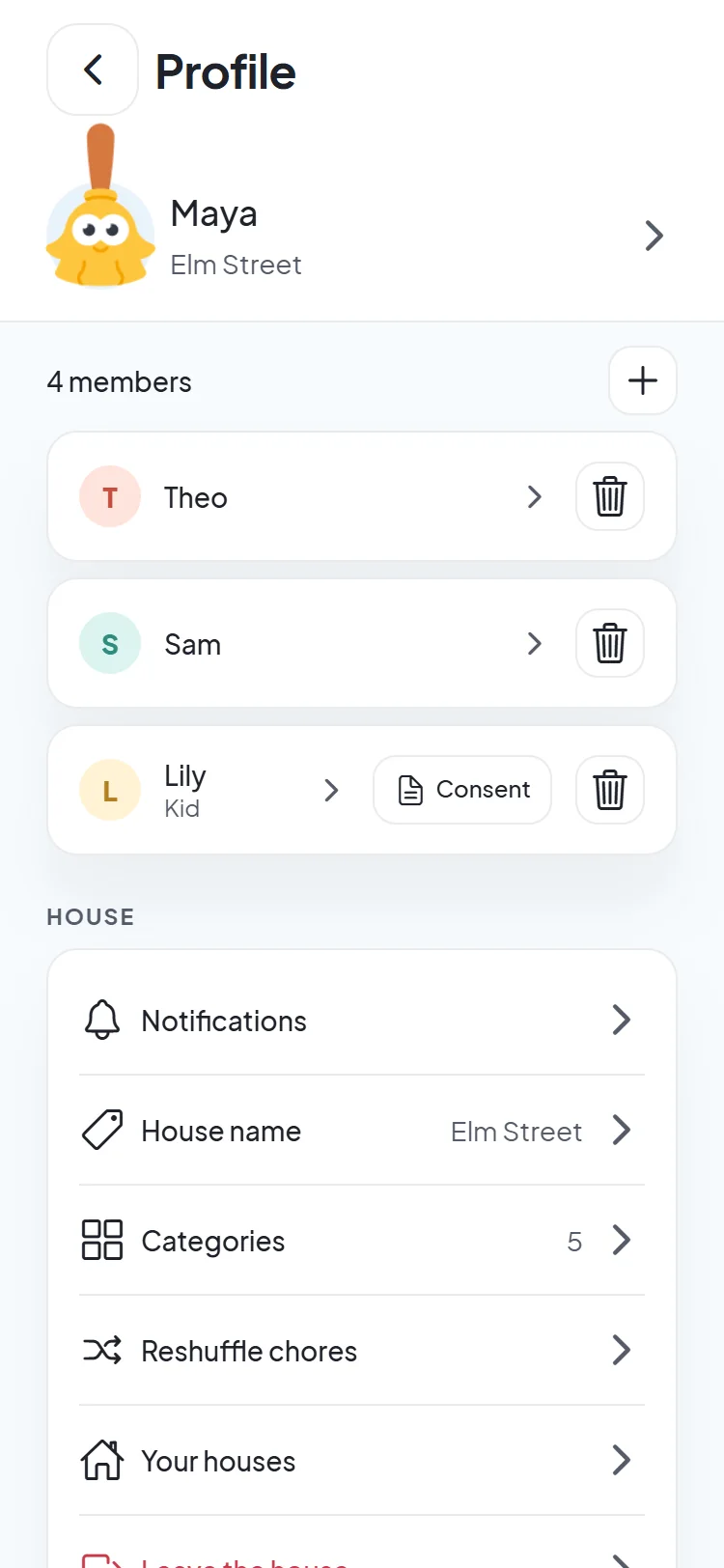
Most settings are in Profile: tap the menu button at the top of Home.
Questions
The ones people ask first. Anything else, email us.
Who is Broomate for?
Individuals, couples, roommates and families: anyone who wants to keep on top of chores at home.
How do I invite someone?
Open Profile and tap the plus next to your members, then Invite with the code. They join with their own login.
Can my child be on the chore board without a phone?
Yes. Tap the plus next to your members and choose Add a child. They need no login: you mark their chores, and the points are theirs. If you don't see it, ask an admin of the house.
Who stamps my chores?
Someone else in the house, when the chore's Proof is Stamp or Both. They stamp it or ask you to redo it. A chore set to None needs no stamp.
Can I be in more than one house?
Yes. In Profile, under Your houses, join another house with its code and switch between them.
How do chore reminders work?
Open a chore, turn on Reminder and pick a time. Your phone nudges you on the days it is due.
How do I sign in to the app?
With Apple, Google or your email.
Does the app cost anything?
No. Broomate is free, with no ads and no tracking.
Your data in Broomate
The Privacy Policy and the Terms of Service say the rest.
Download your data
In Profile, under Account, tap Download my data.
Delete your account
In Profile, under Account, tap Delete account. Broomate shows you what goes before anything is deleted.
A child's data
A parent or guardian can write to support@broomi.app to see what Broomate holds about their child, or to have it deleted.